Introduction
Are you overwhelmed by the exponential growth of your data? Whether you're an individual or a business entity, managing and extracting value from your information can be challenging. Before you invest time in categorizing, digesting, and labeling data for different purposes, imagine being able to use that data on the fly—as if the knowledge already existed in your mind.
Retrieval Augmented Generation (RAG) solves this data digestion challenge. It represents a paradigm shift in organizational knowledge management, offering unprecedented capabilities for real-time data interaction.By implementing RAG, you'll gain:
- A knowledge system based on your own documents in various formats
- The ability to interact with your data conversationally
- Smart search and summarization capabilities beyond simple keyword matching
The core components of a RAG system include a Large Language Model (LLM), a vector database, and an interaction workflow. This guide demonstrates how to build a RAG system in just 10 minutes using intuitive drag-and-drop operations and minimal configuration.
Configuration (Fully Managed)
| Component | Configuration |
|---|---|
| Large Language Model | DeepSeek-V3 |
| Vector Database | Datastax AstraDB |
| AI Framework | Langflow |
| Data Source | PDF Documents |
The solution leverages three pillars of contemporary AI infrastructure:
-
DeepSeek LLM: Provides the reasoning engine with much lower token costs compared to equivalent models
-
Astra DB Vector Database: Delivers milli-second level latency for nearest neighbor searches across billion-vector datasets through Cassandra-based distributed architecture
-
Langflow: Implements visual pipeline construction with pre-built components and templates for AI orchestration
Implementation Steps
1. Preparation
1.1. Register for a DeepSeek API Key
Visit https://platform.deepseek.com/api_keys to create your API key.
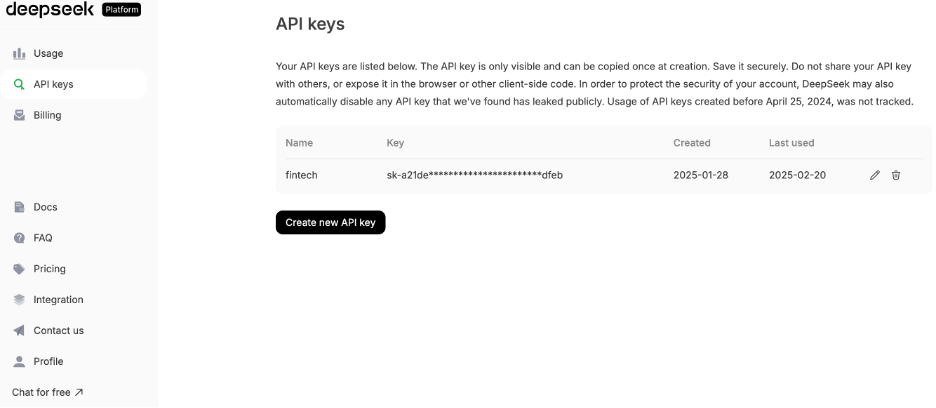
1.2. Register for AstraDB and Langflow
Go to https://astra.datastax.com/signup to register for the free plan.
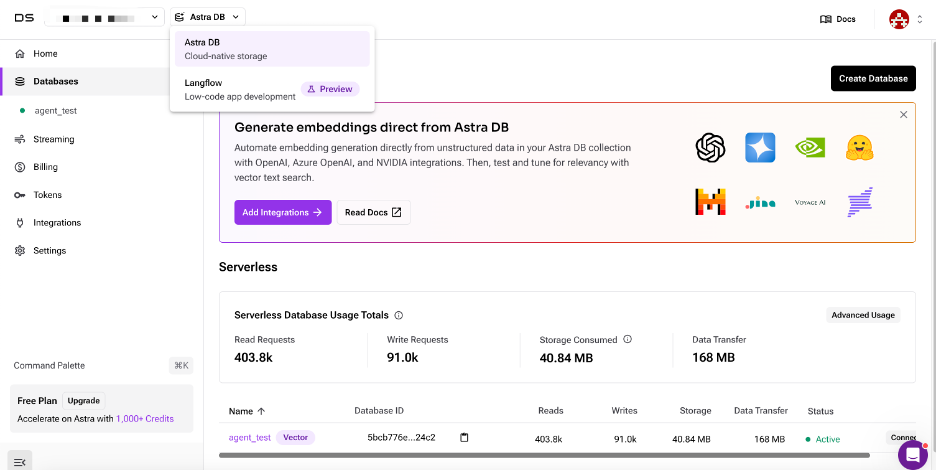
AstraDB is a hosted database service with a free tier available. It comes bundled with Langflow, ensuring synchronized vector database settings for convenience.
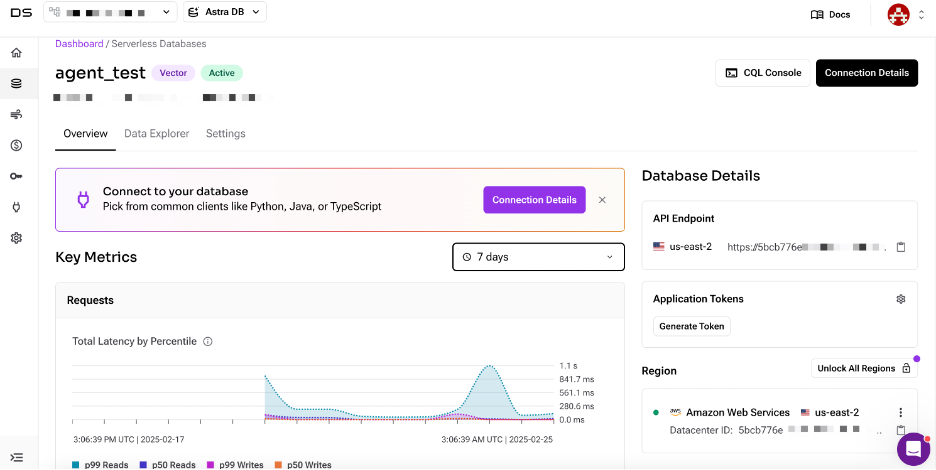
The free plan allows you to create a vector database in selected regions on AWS, Azure, or GCP. After creating your AstraDB database, note the API Endpoint for later use.
2. Building the RAG System
Select Langflow and choose "New Flow." You'll see three major categories with multiple template options on the left. Choose "Vector Store RAG."
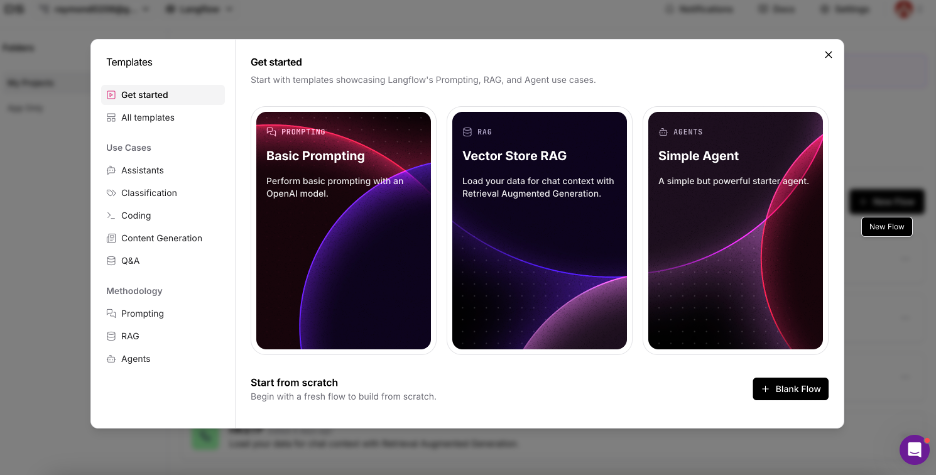
The template includes all necessary components and workflows. The RAG system consists of two main parts:
First, use the "Load Data Flow" in the lower section to load documents and store the embedded data in AstraDB:
- Upload a test PDF in the "File" component
- Input your OpenAI API key inside the "OpenAI Embeddings" component (We used a Google whitepaper about AI Agent for testing)
Embedding is the process of converting data into numerical vectors that capture their meaning and relationships, enabling efficient storage and retrieval in a vector database.
Langflow supports multiple embedding options beyond OpenAI, including AWS, Azure, and NVIDIA.
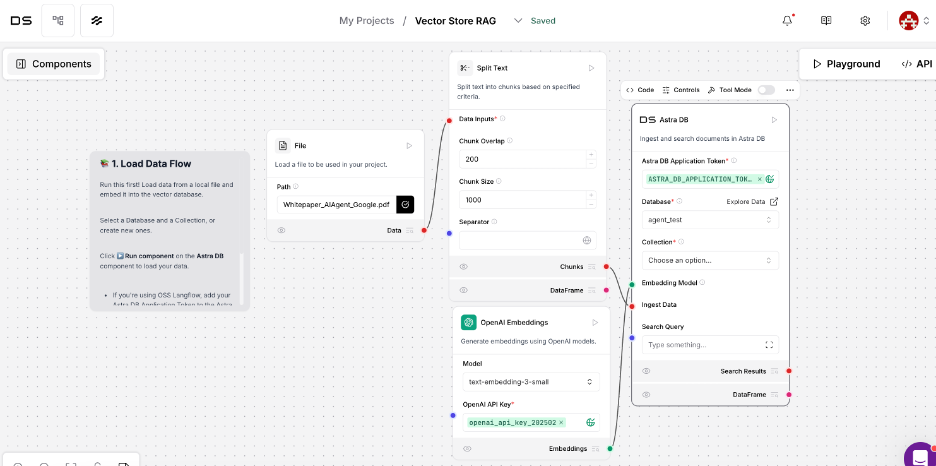
Next, configure the AstraDB component:
- Locate your vector database using the API endpoint saved earlier
- Choose the database name
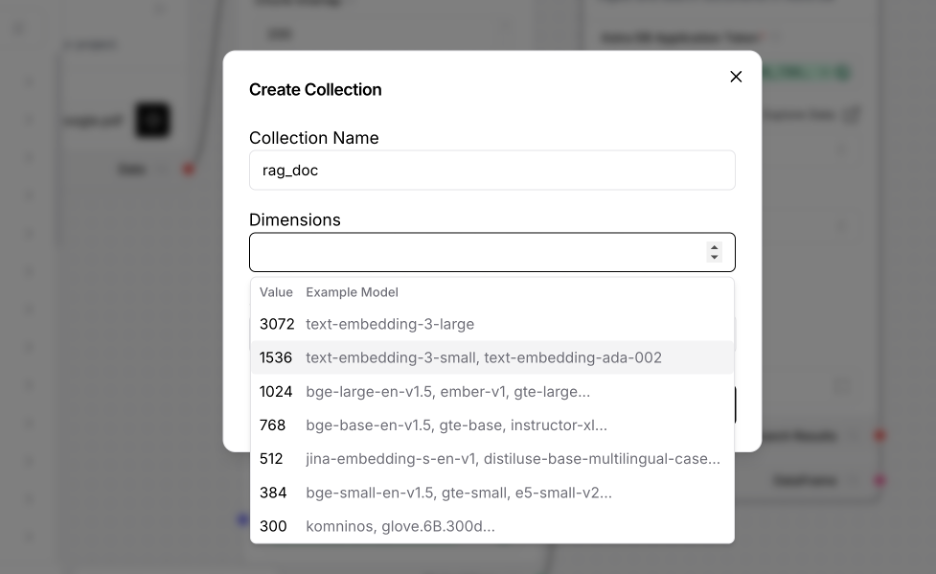
- In the "Collection" option, select "create new collection" (e.g., "rag_doc")
- Use the same embedding model in the "Dimension" dropdown list
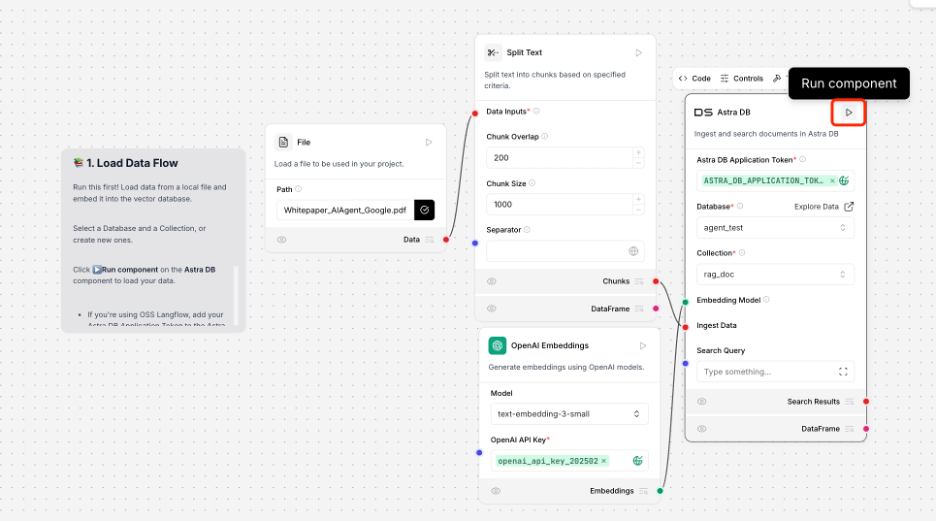
Once configured, click the triangle on the top right of the AstraDB component to run the flow.
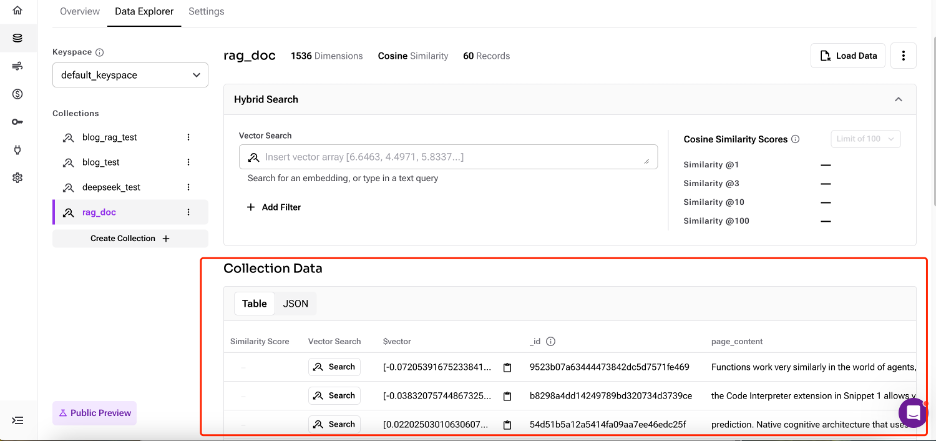
When the flow runs successfully, you'll see that the document and embedded data chunks have been loaded into your newly created collection.
3. Retrieving Data with Smart Chat
In the upper part of the Langflow canvas:
- Replace the OpenAI LLM component with DeepSeek (drag from the left side component pane)
- Keep everything else unchanged
- Use the same model as the data load part in the embedding component
- Select the collection you just created in the AstraDB component
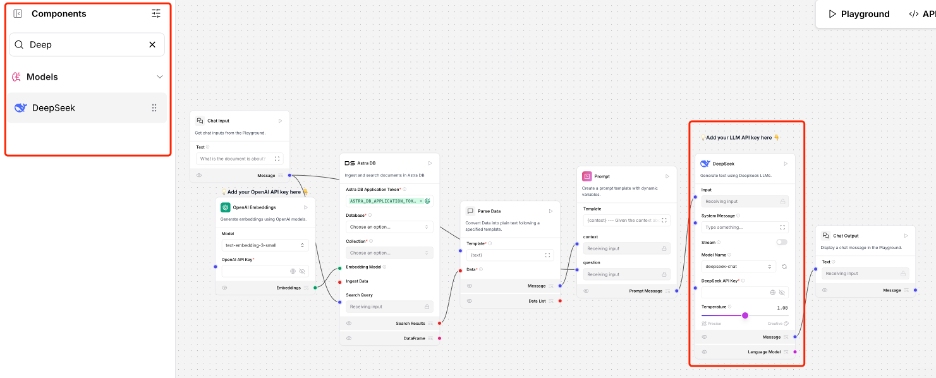
When these settings are complete, click "Playground" to start interacting with your data. Unlike traditional keyword searches, you can input natural language queries. The LLM and RAG system will retrieve the most relevant information from the embedded vectors, combine it, and reply in a conversational format.
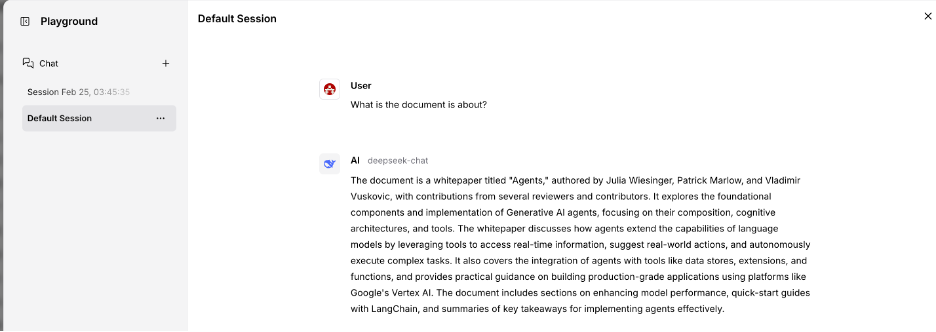
4. Integration and Expansion Possibilities
The playground is just the beginning. To unlock the full potential of your RAG system:
API Integration
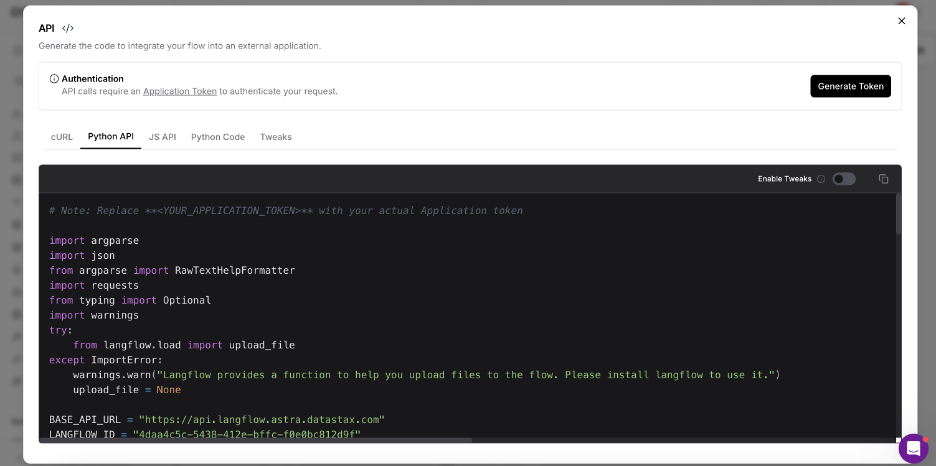
Langflow automatically generates code for API integration, making it simple to incorporate your RAG system into other applications. Developers can use these APIs with minimal additional configuration.
Advanced Configuration
The "Tweak" option allows for fine-tuning of all components in one centralized location, enabling you to optimize performance based on your specific needs.
Scaling Considerations
As your data grows, consider:
- Implementing chunking strategies to optimize retrieval accuracy
- Adding metadata filtering to narrow search contexts
- Incorporating hybrid search approaches that combine semantic and keyword searching
- Setting up automated document ingestion pipelines for continuously updated knowledge bases
Enterprise Applications
For business environments, extend your RAG system with:
- Autonomous agent application for specific domain
- Role-based access controls for sensitive information
- Usage analytics to track common queries and identify knowledge gaps
- Custom feedback loops to continuously improve responses based on user interactions
- Multi-modal capabilities to handle various data types beyond text documents
By following this guide, you've created a foundation that can evolve with your needs—from a simple document Q&A system to a comprehensive knowledge management solution